


Still managing employee access manually across multiple apps?
Every new hire, role change, and exit creates another access task for IT teams. Manual provisioning can slow onboarding and leave outdated permissions behind.
User provisioning software automates these access changes across the employee lifecycle. In this guide, we’ll compare the top user provisioning tools, their features, pros, cons, and what to consider before choosing one.
Best Automated User Provisioning Solutions: Comparison
The table below focuses on provisioning strength automation depth integration flexibility and how smooth the experience feels for daily operations.
How We Evaluated These User Provisioning Software
Many tools look powerful on product pages. However the real value appears during daily admin work. Because of this the evaluation focused on factors that matter when organizations manage users across many apps and systems.
- Automation. Strong platforms automate user provisioning and deprovisioning. Access should be created, updated and removed automatically when employees join, change roles or leave.
- Lifecycle Management. Good platforms manage onboarding, role changes, and offboarding workflows smoothly so user access stays accurate as employees join, change roles or leave the organization.
- Integrations. Organizations use many SaaS apps and internal systems. Platforms that support directory sync and SCIM and also connect with many applications perform better in real environments.
- Governance and Control. Provisioning without visibility creates risk. Tools that offer access tracking policy rules and audit visibility provide stronger governance.
- Admin Experience. Identity management should not feel heavy. Platforms with simpler workflows and clear control panels make daily admin work easier.
- Scalability. Provisioning tools should handle more users, more apps and stricter policies as organizations grow.
10+ Top User Provisioning Software and Tools
1. Infisign
Infisign is a modern identity and access platform that helps companies manage user access without heavy manual work. It focuses on automated provisioning so users get the right access when they join and lose access when they leave. The platform talks a lot about zero trust and AI driven access control which makes it useful for fast growing teams.
Key Features
- Automated User Provisioning & Deprovisioning. Infisign automatically creates user accounts when someone joins and removes access when someone leaves. You do not need to manually update every app. Roles control what access users receive so onboarding becomes faster. This also reduces security risk because unused accounts do not stay active.
- AI Driven Access Management. AI helps admins make faster access decisions and reduce approval delays. Admins can review and approve requests directly inside collaboration tools such as Slack and Microsoft Teams.
- Role Based & Attribute Based Access Control (RBAC & ABAC). Access can be controlled using roles and also user attributes like department or job type. This gives flexibility when organizations grow and roles become complex. Users automatically receive correct permissions without constant admin work.
- Passwordless & Adaptive Authentication. Infisign supports passwordless login and adaptive security checks. The system evaluates risk before allowing access which improves protection. Users get smoother login experience while security remains strong.
- Identity Lifecycle & Governance Capabilities. The platform manages access across the full employee lifecycle from onboarding to role change and offboarding. Admins can track who has access and why. Governance controls help reduce access sprawl over time.
- Extensive Integrations. Infisign connects with popular tools like Google Workspace, Microsoft Entra ID and many SaaS apps. Directory sync keeps user data consistent across systems. You avoid updating profiles in multiple places. Integration support helps companies scale identity automation easily.
Pros
- Users say integration feels smooth and setup is not heavy. You can connect apps fast and start provisioning without long delays. This helps teams who want quick identity rollout.
- Many people like the zero trust focus because it improves security while still keeping workflows simple. You get lifecycle control and access automation together. This makes daily identity management feel lighter.
- Customization is seen as a strong point. Teams can adjust workflows based on company needs instead of forcing one fixed model. This helps when your environment grows.
Cons
- Passwordless authentication requires the use of its encrypted password vault feature.
2. Okta
Okta is one of the most popular identity platforms used for enterprise user provisioning. It helps automate onboarding and offboarding so access is controlled from one place. The platform uses standards like SCIM to connect apps and sync users.
Key Features
- Lifecycle Management. Okta automates provisioning and deprovisioning as users move inside an organization. This includes onboarding role changes and offboarding. Access updates happen without manual edits.
- SCIM Based Provisioning. The platform uses SCIM to sync users between apps. This allows account creation updates and removals automatically. Admins can avoid manual account handling.
- Automated Access Updates. User profiles change automatically when attributes change. If a role changes access also changes. You get smoother identity management.
- Large App Integration. Okta connects with many cloud and on prem apps. This makes provisioning easier across mixed environments. Teams can manage access from one dashboard.
- Security Driven Automation. Automated provisioning helps reduce security gaps. Accounts are removed quickly when users leave. This lowers the risk of unused accounts.
Pros
- Users describe Okta as user friendly and say single sign on feels smooth across many apps. This reduces login stress and improves daily work flow.
- Identity and access management is strong because everything stays centralized. Teams can manage access from one place without jumping between systems.
- It scales well for enterprise environments and helps standardize provisioning across many SaaS tools. That makes admin work more predictable.
Cons
- Some organizations feel pricing becomes high when advanced features are added. This can be tough for smaller teams.
- Setup for complex enterprise policies may take planning and skilled admins. Beginners can feel the learning curve.
- Large environments sometimes need tuning to match custom workflows. So deployment is not always instant.
3. Microsoft Entra ID
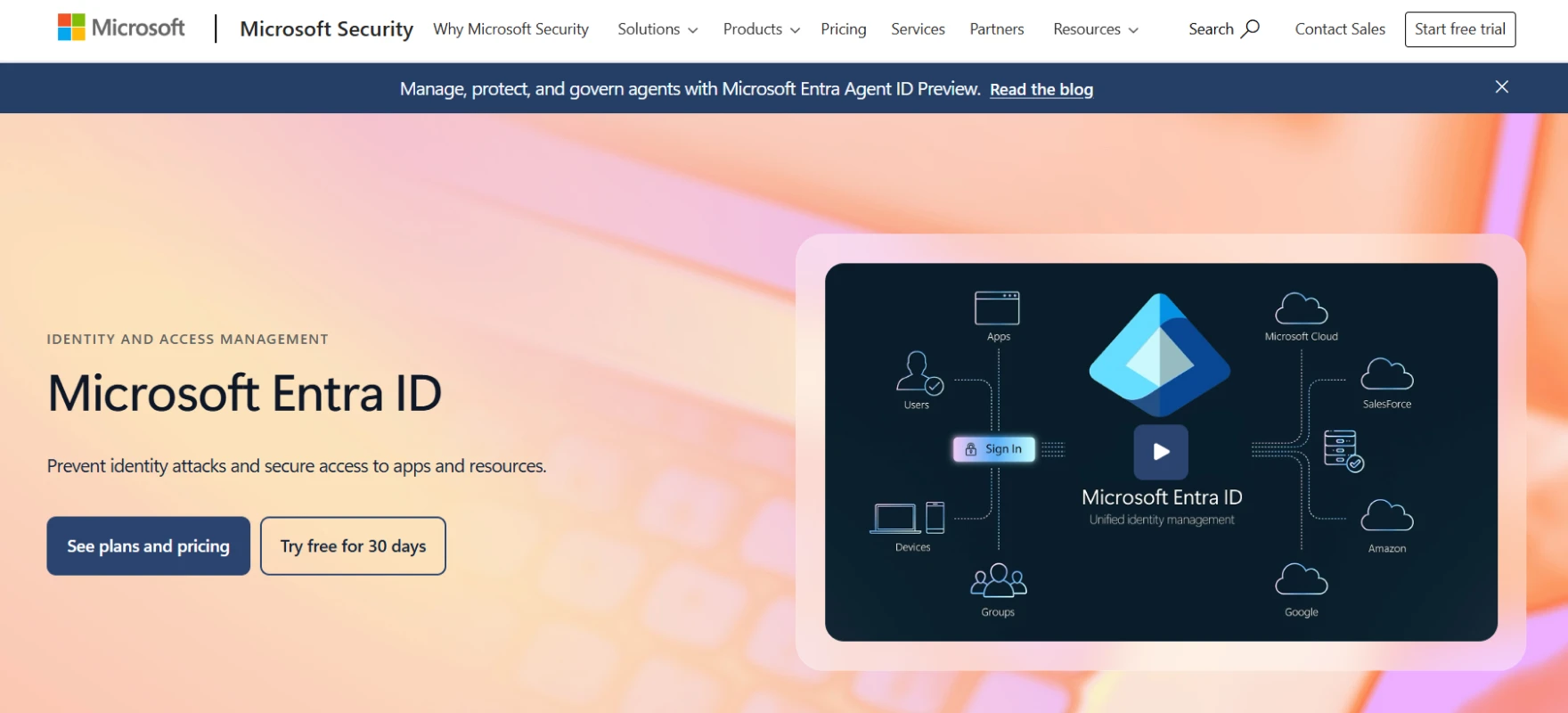
Microsoft Entra ID is Microsoft’s identity platform that handles user provisioning across cloud apps. It is widely used by companies already using Microsoft services. The system automates account creation updates and removal based on business rules.
Key Features
- Automatic User Provisioning. The platform automatically creates and maintains user identities in apps. Access updates happen when roles or status change.
- Role Based Access Sync. Roles and attributes can control what users receive. Access changes when business data changes. This keeps permissions aligned with real roles.
- SCIM Integration Support. Entra supports SCIM endpoints for app provisioning. This helps developers connect custom apps. User and group data flows smoothly.
- Hybrid Environment Support. Companies can manage cloud and hybrid identity from one platform. This is useful for enterprises moving slowly to the cloud. Access stays consistent everywhere. Admin effort becomes lower.
- Enterprise Scale Automation. Provisioning works for large SaaS ecosystems. Microsoft focuses on secure automation and scalability. Teams can manage thousands of users safely. It fits enterprise workflows well.
Pros
- Users like strong security with MFA and controlled access. This helps protect company data without adding too much friction.
- Centralized identity management helps onboarding and offboarding become faster. Admin teams save time because access updates happen in one place.
- Single sign on reduces login problems and lowers support tickets. This improves both user and admin experience.
Cons
- Many reviews mention licensing costs especially for higher plans. Smaller companies sometimes feel pressure on budget.
- Setup and configuration can feel complex if you do not have strong IT support. Advanced policies need careful handling.
- Some users report integration or configuration issues depending on the environment. So deployment planning becomes important.
4. SailPoint
SailPoint is known for identity governance and lifecycle management. It focuses on controlling user access through the full employee journey. Organizations use it when they need deeper governance with provisioning.
Key Features
- Lifecycle Management. SailPoint automates identity lifecycle tasks from onboarding to offboarding. Access changes follow lifecycle states. This keeps permissions accurate. It reduces access sprawl.
- Provisioning Automation. Provisioning runs automatically for enterprise systems with direct connections. Sources that use flat file imports require manual provisioning by the source owner. Admins define rules for access flow across both models which keeps provisioning structured and improves security posture.
- Lifecycle States Control. Admins define lifecycle states that control access behavior. Each state can enable or remove access. This creates structured identity control. It fits complex organizations.
- Governance and Certification. Access can be reviewed and certified regularly. This helps organizations stay compliant. Managers can confirm who should keep access. It supports audit readiness.
- Enterprise Identity Security. SailPoint focuses on reducing risk through controlled provisioning. Identity and governance work together. This is useful where compliance is strict. Large teams benefit from the structure.
Pros
- Users like strong identity governance features and lifecycle management. It helps organizations control access in a structured way.
- Flexibility and customization are appreciated because teams can shape workflows around company rules. This is useful for enterprise setups.
- Security capabilities are often praised and many teams feel confident managing sensitive access through it.
Cons
- Some teams feel the platform can become complex during setup. It may require experienced admins.
- Customization power can also mean longer implementation time. Planning is needed before rollout.
- For smaller companies it can feel heavier than required because it is designed for enterprise governance
5. Ping Identity
Ping Identity provides identity solutions for workforce access and provisioning. It supports syncing identity data between directories and apps. The platform focuses on enterprise scale identity orchestration.
Key Features
- Identity Data Synchronization. PingOne provisioning moves identity data between source and target stores. Changes like add update or delete trigger provisioning events. This keeps data aligned. Admins avoid manual syncing.
- Workflow Automation. Drag and drop workflows help teams design authentication journeys and identity orchestration flows. PingOne DaVinci provides a no code canvas where teams connect identity logic without heavy development. This reduces coding effort and makes complex access flows easier to manage visually.
- Centralized Identity Control. Admins manage provisioning from a unified portal. This improves visibility across systems. Teams can monitor changes easily. It helps simplify operations.
- Enterprise SSO Integration. PingOne connects workforce users to SAML and OIDC apps. Provisioning and authentication work together. This creates smooth access experiences. Users log in faster.
- Flexible Provisioning Connections. Admins can configure provisioning options per connection. Host settings and authentication can be customized. This gives technical flexibility. It fits different architectures.
Pros
- Users highlight strong API based flexibility. This helps developers automate identity tasks and connect systems smoothly.
- Enterprise features like stability and standards support are appreciated. Once configured things run reliably.
- Good technical support and documentation help teams during deployment and maintenance.
Cons
- Administration is often called complex and can confuse new teams. Setup requires planning and experience.
- Some users mention authentication or configuration issues when settings are not tuned properly.
- Interface and options sometimes feel overwhelming for first time users. This slows early adoption.
6. OneLogin
OneLogin is a cloud identity platform that supports user provisioning using SCIM standards. It was acquired by One Identity in 2021 and now operates within the One Identity portfolio.
Organizations evaluating both tools should know they share the same parent company although each product serves different use cases and environments.
Key Features
- SCIM Provisioning Support. OneLogin supports SCIM 1.1 and SCIM 2.0 for automated provisioning. Apps can receive, create , update and delete actions automatically. This reduces integration complexity. Admins save time.
- Centralized User Management. Admins manage provisioning and deprovisioning from one console. Security policies can be enforced easily. Visibility across access activities improves. This makes governance smoother.
- Automatic User Updates. User attributes update automatically through SCIM APIs. Changes in identity flow into connected apps. This keeps data fresh. Manual sync is reduced.
- SSO and Provisioning Together. SAML, SSO and SCIM provisioning work side by side. Users get easy login while admins control lifecycle. This creates balanced usability and security. Teams appreciate the simplicity.
- Developer Friendly APIs. Developers can define schemas and build provisioning APIs. This helps custom app integration. Identity automation becomes more flexible. It supports growing ecosystems.
Pros
- Many users say it is easy to use and helps combine many apps under one login. This reduces password fatigue.
- Setup is usually simple which helps teams move quickly into production. Admins can manage access without deep complexity.
- Centralized SSO improves user productivity because access becomes faster and cleaner.
Cons
- Some reviews mention service interruptions that can disturb login flow. Reliability becomes a concern during downtime.
- Users report occasional bugs or connection issues depending on integrations. This can create admin overhead.
- Feature depth may feel limited for very advanced enterprise identity needs.
7. CyberArk
CyberArk is primarily a Privileged Access Management platform that also covers identity lifecycle and provisioning. It automates provisioning while adding strong governance and approval workflows.
Organizations often use it where securing privileged accounts and controlling sensitive access is the main priority and lifecycle management works alongside this core PAM focus.
Key Features
- Lifecycle Automation. Access provisioning is automated from onboarding to termination. Users get access faster when they join. Access is removed quickly when they leave. This reduces security risk.
- Approval Workflows. Multi step approvals can be automated for provisioning. This speeds up account creation while keeping control. Managers stay in the loop. Governance becomes smoother.
- Dynamic Access Control. Access is granted or revoked based on policy and role changes. This keeps permissions aligned with real needs. Admins avoid manual updates. Security stays strong.
- Centralized Monitoring. Teams can monitor user access and entitlements from one place. Audits become easier because visibility improves. Admins can drill into user activity. This supports compliance.
- Directory and App Integration. CyberArk supports syncing with directories and custom apps using SCIM. This extends provisioning beyond standard apps. Organizations can cover more systems. Automation stays consistent.
Pros
- Users appreciate secure credential storage and password rotation which strengthens security posture.
- Automation features help with password management and reduce manual admin effort. This improves compliance handling.
- Deployment is described as straightforward by some reviewers which helps teams start faster.
Cons
- Interface is sometimes described as old or clunky which can affect usability.
- Some users report compatibility or connectivity issues especially with web based password handling.
- Pricing can feel high for smaller organizations looking for PAM solutions.
8. One Identity
One Identity provides tools for automated identity administration and provisioning. It is often used in Active Directory heavy environments. The platform focuses on policy based automation and delegated control. It helps enterprises simplify identity operations.
Key Features
- Policy Based Provisioning. Provisioning tasks follow company policies automatically. This keeps identity management consistent. Admins reduce manual mistakes. Governance improves naturally.
- Automated User and Group Management. User and group access can be managed automatically. Delegation allows teams to share admin tasks safely. This improves efficiency. Large environments benefit a lot.
- Active Directory Focus. The platform works deeply with Active Directory and Microsoft environments. Provisioning aligns with enterprise directory structures. This helps companies already using Microsoft tools. Integration feels natural.
- Privilege Delegation. Access privileges can be delegated securely. Admin roles become more controlled. This reduces over privileged accounts. Security teams get better oversight.
- Consistent Identity Governance. Automation ensures identity tasks follow rules every time. This reduces operational chaos. Audits become easier because policies are enforced automatically. Teams feel more in control.
Pros
- Users say it is easy to use and simple to implement for identity management tasks. This helps teams adopt it quickly.
- API integration and app connectivity are appreciated because automation becomes easier.
- Many features come out of the box so admins do not need to build everything manually.
Cons
- Setup and management can still become challenging in larger environments. Teams may need experienced admins.
- Some workflows may need extra configuration depending on organization structure. This increases initial effort.
- Interface and experience can vary depending on which module you use. So consistency may feel uneven.
9. Jumpcloud
JumpCloud is a cloud directory platform that combines identity management and device management. It helps organizations manage users across devices and apps from one place. Many small and mid size companies use it for simple centralized control.

Key Features
- Cloud Directory Management. You manage users from a central cloud directory. Access updates flow into connected resources. This reduces dependence on traditional servers. Teams work more flexibly.
- Cross Platform Provisioning. Users can be provisioned across Windows Mac and Linux environments. This helps mixed device organizations. Admins avoid handling each platform separately. It keeps identity unified.
- SSO Integration. Single sign on helps users access apps easily. Provisioning and authentication work together. This improves user experience. Admins also get better control.
- Policy Based Access. Access policies define what users can reach. Changes apply automatically when roles change. This keeps access clean. Security improves with less effort.
- Centralized Admin Experience. Admins manage identity and devices from one dashboard. Visibility improves across the environment. Troubleshooting becomes easier. Teams save operational time.
Pros
- Users generally like centralized cloud directory management because it simplifies identity control across devices.
- Cross platform support helps teams manage Windows Mac and Linux from one place which reduces admin load.
- It works well for cloud first environments where traditional AD infrastructure is not preferred.
Cons
- Advanced enterprise governance features may feel limited compared to large IAM suites.
- Some complex provisioning workflows can require extra configuration.
- Organizations moving from legacy systems may need time to adjust to the cloud first model.
10. Saviynt
Saviynt is an identity governance and administration platform focused on enterprise scale security. It helps organizations automate provisioning while maintaining governance and compliance. It is often used where access risk management is important.
Key Features
- Identity Lifecycle Automation. Provisioning and deprovisioning follow lifecycle events. Access stays aligned with employee status. Manual errors reduce over time. Security teams gain confidence.
- Access Governance. Access rights can be reviewed and controlled regularly. This helps compliance driven industries. Managers can validate permissions. Audits become smoother.
- Risk Based Access Insights. Analytics help detect risky access patterns. Teams can adjust provisioning rules based on insights. This improves proactive security. Governance becomes smarter.
- Application Onboarding. Apps can be onboarded into governance workflows. Provisioning becomes standardized. Admins avoid isolated access silos. Management becomes centralized.
- Compliance Reporting. Reports help prove access control decisions. This supports regulatory needs. Security teams get clear visibility. Documentation becomes easier.
Pros
- Strong governance and compliance focus helps organizations control access risk better.
- Lifecycle automation helps keep provisioning aligned with employee status changes.
- Analytics and risk visibility support smarter access decisions for security teams.
Cons
- Implementation can feel heavy because governance platforms require planning.
- Custom workflows sometimes need expert level configuration.
- Smaller teams may find the platform more complex than needed.
11. Zluri
Zluri is a SaaS management and identity automation platform that helps companies manage app access. It focuses on visibility and automated provisioning across SaaS tools. Organizations use it to control shadow IT and reduce unused accounts.
Key Features
- SaaS Access Discovery. The platform discovers apps used across the organization. This gives visibility into who uses what. Hidden tools become visible. Admins can control access better.
- Automated Provisioning Workflows. User access can be assigned automatically when employees join. Access removal also happens during offboarding. This reduces security gaps. Operations feel smoother.
- License Optimization. Teams can see unused accounts and reclaim licenses. This saves cost for organizations. Provisioning decisions become smarter. IT budgets improve.
- Centralized SaaS Management. Admins manage multiple SaaS tools from one place. Access control becomes easier to track. Governance improves naturally. Workflows feel cleaner.
- Lifecycle Based Automation. Access changes follow employee lifecycle events. This keeps permissions updated without manual effort. Security risks reduce over time. Teams stay organized.
Pros
- SaaS discovery helps organizations understand which apps employees actually use.
- Automated provisioning and deprovisioning reduce manual access mistakes.
- License tracking helps companies save cost by removing unused accounts.
Cons
- Deep identity governance features are not as extensive as traditional enterprise IAM tools.
- Some integrations may require tuning depending on the SaaS stack.
- Teams expecting full enterprise IAM replacement may need additional tools.
How to Choose the Right User Provisioning Software?
User provisioning software operates at the center of how modern organizations run their daily work. Every new employee, every role change and every exit creates an access decision that must happen correctly and on time. When this process stays manual teams slow down and security risks increase.
That is why companies now look for systems that handle access in a smart and predictable way. The goal is not only automation. The goal is creating a stable flow where access moves with the business without constant admin intervention.
- Automation First. The best systems remove repetitive work from people. If provisioning still needs manual steps then the tool is not solving the real problem. Automation should run silently and reliably.
- Lifecycle Clarity. Access must follow the employee journey from day one to exit day. Good software treats onboarding role changes and offboarding as one connected flow. Clear lifecycle control prevents future chaos.
- Ecosystem Fit. Technology should adapt to your environment, not force you to rebuild everything. Choose tools that connect naturally with your existing apps directories and cloud platforms. Integration friction becomes expensive later.
- Access Logic. Smart organizations control access through simple rules. Role based and attribute based models keep decisions consistent. Complexity should stay inside the system not inside the admin’s head.
- Governance Vision. You should always know who has access and why. Visibility creates accountability and accountability reduces risk. Governance is not extra work. It is operational clarity.
- Operational Simplicity. Powerful systems should still feel easy to run. If daily management feels heavy productivity will drop. Great software makes hard things look simple.
- Future Scale. Leaders plan for growth before it arrives. The right platform should support more users, more apps and stricter policies without redesign. Scalability is a strategy decision not a technical checkbox.
Secure Your Enterprise with the Right User Provisioning Software
Enterprise security is not only about blocking threats from outside systems. Real protection appears when organizations clearly control who receives access and when that access should change. Every employee joins the company with certain responsibilities.
Later roles change, teams change and sometimes people leave. Each moment creates an access decision and manual handling slowly creates risk.
Extra permissions remain active longer than expected and unused accounts stay alive inside important systems. Over time visibility becomes weaker and security teams lose clarity about who can reach critical resources.
Strong user provisioning software solves this problem because it turns access management into a structured automated process that grows with the organization.
Modern identity platforms focus on unifying provisioning governance and access control so identity operations stay consistent across the organization. When lifecycle automation access policies and identity visibility work together organizations gain stronger security without increasing operational friction.
Below are the capabilities that define strong enterprise user provisioning platforms today.
- Automated Provisioning and Deprovisioning. Access automatically created, updated and removed based on roles and lifecycle events.
- AI Driven Access Decisions. AI evaluates context and behavior to help admins approve access requests faster.
- Role and Attribute Based Access Control. Access follows clear role and attribute logic to prevent permission sprawl.
- Lifecycle Governance and Visibility. Admins clearly see who has access and understand why access exists.
- Extensive Integrations and Directory Sync. Identity data stays consistent across SaaS apps directories and enterprise systems.
See how modern user provisioning should actually work in a real enterprise environment. Book a demo of Infisign UniFed and IAM Suite and explore how automated access can simplify security at scale.
FAQs
How does onboarding & offboarding automation work?
Onboarding automation creates user accounts and assigns access based on roles when employees join. Offboarding automation removes access instantly when users leave. This reduces manual work, improves security and prevents unused accounts.
What is user provisioning software?
User provisioning software automatically creates updates and removes user accounts across applications. It manages access based on roles or policies. This helps organizations control identity management, improve security and reduce admin effort.
How does user provisioning support compliance requirements?
User provisioning supports compliance by keeping access controlled and traceable. It records who has access and when changes happen. Automated provisioning reduces errors helps audits and ensures policies are applied consistently across systems.


