




Selecting JumpCloud alternatives can feel confusing because many platforms sound similar but work very differently in real life.
This guide is based on deep research using security frameworks, enterprise IAM evaluation methods and real world identity management practices. Each platform was reviewed by looking at authentication strength access control automation deployment effort and long term scalability.
Read till the end because it helps you understand which solution truly fits modern enterprise identity needs.
Best JumpCloud Alternatives: Comparison
How We Evaluated These JumpCloud Competitors
The goal here is to understand how these platforms actually work inside real companies and how safe and easy they feel for everyday teams while helping you find the right JumpCloud replacement without confusion.
Industry security guides and enterprise IAM evaluation methods were studied carefully. However real world practicality also matters. The tools were compared based on security strength, deployment speed, cost efficiency, scalability and ease of use.
Below are the main points that guided the research.
- Security first. Login security was checked with focus on passwordless login, MFA and phishing protection. Modern security guidance shows that stronger authentication lowers real attack risk so platforms with better protection score higher.
- Smart access. Access decisions were reviewed to see how platforms check device risk, location and user behavior. Strong tools do not trust every login and instead use context to allow or block access.
- Automation and control. Identity lifecycle was studied from onboarding to role change to offboarding. Platforms that automate these steps reduce manual work and keep access clean and secure.
- Real world fit. Scalability integration support and overall platform maturity were considered. The goal was to see which solutions stay stable and practical when companies grow and environments become more complex.
JumpCloud Overview
JumpCloud is a cloud directory platform that helps companies manage user login and device access from one place. It works as a central identity layer where teams control authentication user accounts and device access without running traditional on premises directories.
Instead of using many separate tools everything stays connected inside one system. This makes daily identity management feel smoother and easier for you.
- Cloud Directory and Identity Management. JumpCloud works as a central cloud directory that manages user identities across systems, apps and networks. It acts as the main identity source for authentication and supports protocols like LDAP and RADIUS so organizations can connect both modern and legacy resources.
- Single Sign On and Secure Authentication. The platform provides SSO and multi factor authentication so users access multiple applications with one secure identity. This reduces password fatigue and strengthens login security across SaaS and internal systems.
- Directory Based Access and Network Authentication. The platform includes cloud LDAP and hosted RADIUS services that allow secure authentication to applications WiFi networks VPNs and servers using one identity directory.
10+ Top JumpCloud Alternatives for Enterprise Identity Security
1. Infisign
Infisign is an identity and access management platform that focuses on modern enterprise login security. It helps companies move away from passwords and manage access from one place. The platform is built for cloud environments but it also works with legacy systems.
Key Features
- Passwordless & Phishing-Resistant Authentication. Infisign supports passwordless login methods such as biometrics passkeys and device based authentication so users can access systems. Because authentication depends on verified devices or cryptographic credentials instead of static passwords the login process also becomes resistant to common phishing attacks.
- Single Sign-On (SSO) Across Cloud & Legacy Apps. Users sign in once and then access both modern cloud apps and older legacy systems without repeated logins. This helps enterprises keep old infrastructure while still moving toward modern identity security.
- Zero Trust & Adaptive Access Controls. Access is never trusted by default and every login request is checked using context signals like device and risk level. Policies change dynamically based on user behavior which helps block suspicious access early.
- AI-Driven Access & Lifecycle Automation. Infisign uses AI Access Assist to automate access requests provisioning and lifecycle actions directly from collaboration tools like Slack and Microsoft Teams. Admins or managers can grant revoke or review access using simple commands inside these tools.
- Compliance & Audit Readiness. The platform maintains detailed logs of login activity access approvals and permission changes so security teams can track identity events clearly. These audit trails help organizations demonstrate compliance with frameworks such as SOC 2, ISO 27001, GDPR, HIPAA and SOX.
- Fast Deployment & Integration Ecosystem. Infisign connects with 6000+ applications and enterprise tools through built in integrations and APIs. The platform supports widely used identity standards such as SAML, OAuth, OpenID Connect and SCIM which makes it easier to connect SaaS apps internal systems and legacy environments.
Pros
- Passwordless login makes authentication simple and reduces dependency on passwords. Users also face less login friction during daily work.
- Deployment is fast and integrations connect easily with enterprise apps. Teams can start identity control without long setup cycles.
- Zero trust access checks verify users based on context and risk signals. Security decisions become smarter instead of fixed rules.
Cons
- Passwordless authentication requires the encrypted password vault to be enabled.
2. OneLogin
OneLogin is a cloud based identity platform that helps enterprises manage user access across applications. It focuses on single sign on and secure authentication to make login easier for employees and is often considered an alternative to JumpCloud for organizations looking to simplify identity management.
Key Features
- Single Sign-On (SSO). OneLogin allows users to sign in once and then access multiple enterprise applications without repeating credentials. This reduces password fatigue and improves user productivity inside large organizations.
- Adaptive Authentication. OneLogin uses adaptive authentication that adjusts security based on login risk and context. The system checks signals and increases protection when risk becomes higher.
- Multi-Factor Authentication (MFA). The platform adds extra identity verification to prevent unauthorized access to enterprise data. Users can approve logins through secure authentication flows instead of relying only on passwords.
- Identity Lifecycle Management. OneLogin automates onboarding and offboarding so user access stays aligned with role changes. Provisioning and deprovisioning happen automatically which reduces manual admin work.
- Directory Integration. OneLogin connects with enterprise directories and synchronizes identity data across systems. Admins can manage users based on attributes like department or role.
Pros
- Single sign on allows users to access many apps with one login. This improves productivity because employees avoid repeated authentication.
- The admin dashboard is simple and easy to navigate. Identity management tasks like user provisioning feel more organized.
- Directory integration works smoothly with enterprise systems like Active Directory. Identity data stays synchronized across apps and systems.
Cons
- Advanced features may require higher pricing tiers. Organizations sometimes need premium plans for full security capabilities.
- Deep customization options are not as flexible as some larger platforms.
- Migration from another IAM tool can take planning and testing. Identity mapping and policy alignment require careful setup.
3. ManageEngine
ManageEngine offers identity and access solutions designed for enterprise IT environments. The platform focuses on automation and directory management to reduce manual work and is often included among JumpCloud alternatives used for centralized identity control in enterprise environments.
Key Features
- Universal Directory. ManageEngine Identity360 provides a universal directory that connects multiple identity sources into one place. Admins can manage users and groups while automating sync tasks across directories.
- Secure Single Sign-On (SSO). Users can access enterprise apps from a central dashboard using one login. Identity360 supports pre integrated and custom applications which helps enterprises connect both modern and older systems.
- Robust Multi-Factor Authentication. The platform supports MFA to add extra security during login and sensitive actions. Users can enroll authenticators like TOTP apps or mobile verification methods.
- Identity Lifecycle Management. Identity360 automates provisioning and deprovisioning across applications using lifecycle workflows. This reduces manual effort and keeps access aligned with user roles.
- Centralized Reporting and Access Visibility. Admins can generate reports to track SSO usage and user access activity. Central reporting helps teams monitor security posture and compliance needs.
Pros
- Lifecycle automation reduces manual work during onboarding and offboarding. Access updates happen faster when roles change.
- Universal directory centralizes identities from multiple sources. Admins manage users from one place instead of many systems.
- Pricing is often considered enterprise friendly compared to some competitors.
Cons
- The interface can feel technical for new administrators. Some workflows require learning before becoming efficient.
- Initial setup can be heavy due to many configuration options.
- Some cloud first organizations feel the platform is more traditional.
4. Microsoft Entra ID
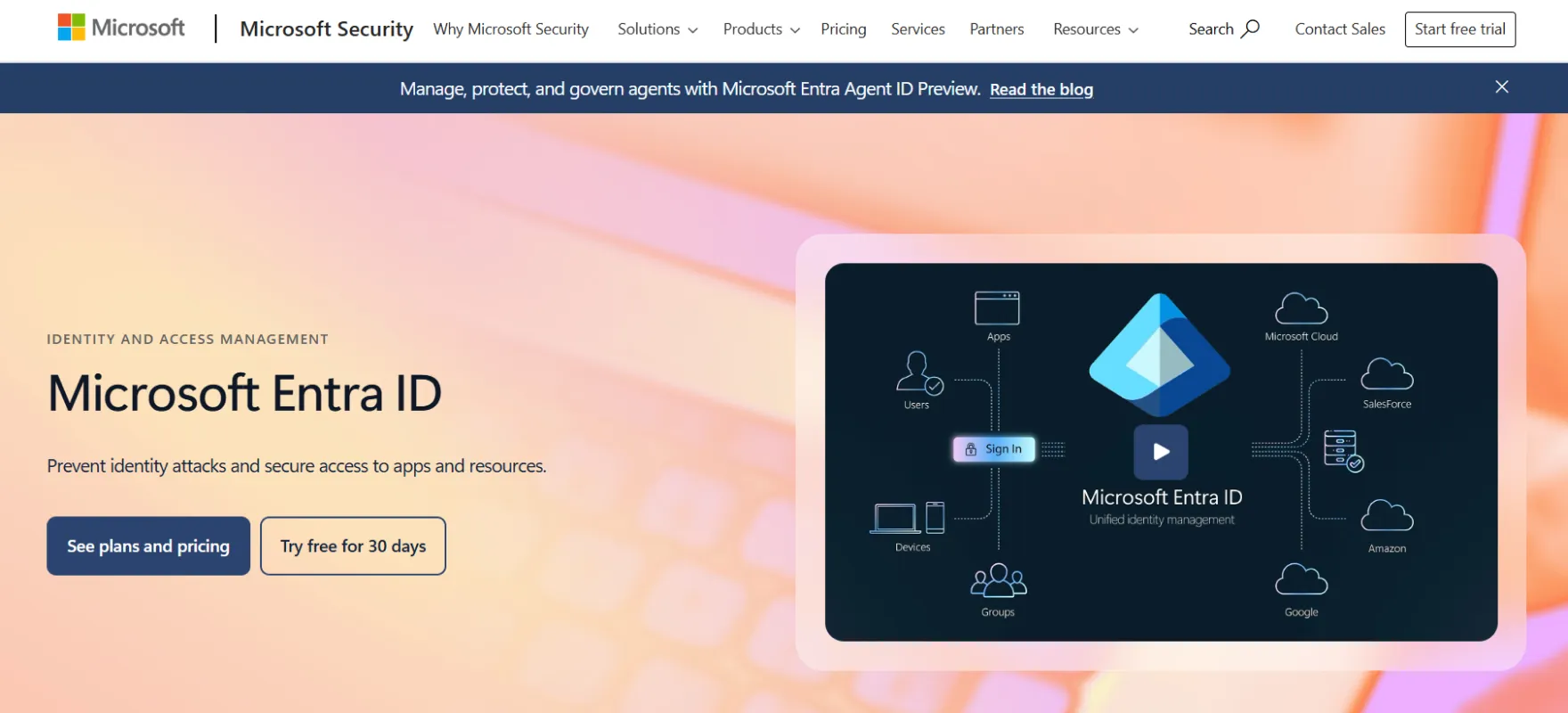
Microsoft Entra ID is a cloud identity platform that manages authentication and access for enterprise users. Organizations use it to apply security policies and control access based on risk and it is widely seen as one of the leading JumpCloud competitors for enterprise identity management.
Key Features
- Conditional Access Policies. Microsoft Entra ID uses conditional access to evaluate signals like risk location and device before granting access. Admins combine conditions to create fine grained access decisions.
- Multi-Factor Authentication (MFA). Entra ID adds extra verification steps during sign in such as codes or biometrics. MFA policies can be enforced through conditional access for better control.
- Device Based Access Controls. Access decisions can require devices to be compliant before entry is allowed. Device compliance signals integrate with management tools to reduce risky access.
- Zero Trust Security Approach. Conditional access evaluates identities continuously and applies controls based on risk signals. Policies can include user risk network location and device context.
- Identity Governance Support. Entra ID includes governance focused capabilities to modernize identity management and control access decisions. Organizations use it to implement hybrid identity solutions and structured access policies.
Pros
- Strong integration with Microsoft services makes identity management smooth for existing Microsoft users.
- Conditional access policies allow security decisions based on risk and device context. Organizations can block risky access automatically.
- The platform scales well for large enterprises and hybrid environments.
Cons
- Best experience often depends on using Microsoft ecosystem tools. Mixed environments may need extra configuration work.
- Licensing and feature tiers can feel complex for buyers. Understanding which plan includes which capability takes time.
- Advanced governance features may require extra setup and policy design.
5. Okta
Okta is an enterprise identity platform focused on secure access and user authentication. It helps companies connect users to applications through one central identity system. Because of its strong SSO adaptive authentication and lifecycle management capabilities it is often listed among JumpCloud competitors for organizations.
Key Features
- Single Sign-On (SSO). Okta provides secure one click access to cloud and on premises applications using a single identity. Users move between apps without repeated login prompts.
- Adaptive Multi-Factor Authentication. Okta uses adaptive MFA that adjusts security based on risk signals and login context. The platform focuses on phishing resistant authentication for workforce protection.
- Lifecycle Management. Okta automates identity tasks like creating, updating and deactivating accounts across apps. Automation helps IT teams manage changing workforce access without manual effort.
- Unified Workforce Identity Platform. Okta combines identity access management and lifecycle automation within its workforce identity platform. Organizations can manage authentication access policies and user provisioning from one system.
- Passwordless and Device Aware Security. Okta supports passwordless authentication and device assurance features to strengthen login security. Access decisions consider device context and authentication strength. This reduces reliance on passwords and lowers the attack surface.
Pros
- Okta supports a large number of cloud app integrations. Identity deployment becomes faster across departments.
- Lifecycle automation simplifies onboarding role updates and offboarding. Access stays aligned with user responsibilities.
- Adaptive authentication improves security while keeping login smooth. Risk based checks add protection without always interrupting users.
Cons
- Pricing can become expensive as enterprise usage grows. More users and advanced features increase total cost.
- Configuration depth can feel complex for smaller IT teams. Admins need time to understand advanced policies.
- Some advanced capabilities require additional modules.
6. Duo Security
Duo Security is an identity security platform mainly known for strong multi factor authentication. It helps organizations verify users and devices before giving access. Because of its focus on authentication security it is often considered among JumpCloud alternatives for teams looking to strengthen login protection.
Key Features
- Multi-Factor Authentication (MFA). Duo Security adds an extra login step so users confirm identity with push approval passcodes or security keys. This helps stop stolen password attacks because login needs more than just credentials.
- Device Trust and Visibility. Duo checks device health before allowing access to company resources. Admins can see device status and apply rules based on security posture.
- Zero Trust Access Approach. Duo follows a zero trust model where every access request is verified before approval. Identity and device checks happen together to reduce blind trust.
- Simple User Enrollment. Users can quickly enroll phones or authentication methods through guided setup flows. The onboarding experience is designed to reduce friction for non technical users.
- Phishing Resistant Authentication. Duo supports modern authentication standards like FIDO2 security keys. This protects against phishing attacks that target passwords and one time codes.
Pros
- Multi factor authentication is simple and strong against credential attacks. Users can approve logins easily using mobile devices or keys.
- Device trust checks help ensure only secure devices access resources. Organizations reduce risk from unmanaged endpoints.
- Deployment is usually fast and user friendly. Companies can roll out protection quickly across teams.
Cons
- Duo mainly focuses on authentication rather than full IAM lifecycle. Enterprises may need extra tools for provisioning and governance.
- Advanced access workflows are limited compared to complete identity suites. Some organizations want deeper policy control.
- Costs can increase when scaling to large enterprise environments.
7. SecureAuth
SecureAuth is an identity platform that focuses on adaptive authentication and risk based access control. It is often considered among JumpCloud alternatives because it analyzes login behavior and adjusts security when risk increases.
Key Features
- Adaptive Authentication. SecureAuth evaluates risk signals like device behavior location and login context before granting access. Security rules change dynamically depending on risk level.
- Passwordless Login Experience. The platform supports passwordless authentication using biometrics and modern verification methods. Users do not rely only on passwords which lowers phishing risk.
- Continuous Risk Monitoring. SecureAuth monitors identity behavior and evaluates sessions during access. Risk scoring helps detect unusual activity early. Security teams can respond faster to potential account compromise.
- Single Sign-On (SSO). Users log in once and access multiple enterprise applications without repeated authentication. Admins maintain centralized control over application access.
- Identity Threat Detection. SecureAuth focuses on identifying suspicious identity patterns before damage happens. Detection helps reduce account takeover risks.
Pros
- Adaptive authentication adjusts security based on risk signals. Users only face extra checks when needed.
- Passwordless login reduces reliance on traditional passwords.
- Continuous risk monitoring helps detect suspicious behavior early. Security teams gain visibility into identity threats.
Cons
- Market presence is smaller compared to big IAM vendors.
- Integrations may need additional configuration effort. Setup time can increase for complex environments.
- Risk policy setup can be challenging at first. Misconfiguration can affect user experience.
8. Ping Identity
Ping Identity provides enterprise identity solutions that connect users, apps, and services securely. It is often discussed among JumpCloud competitors because the platform offers capabilities such as single sign on, multi factor authentication, and identity federation.
Key Features
- Single Sign-On (SSO). Ping Identity allows users to access many enterprise applications with one login. This reduces password fatigue and improves user experience across cloud and hybrid systems.
- Adaptive Multi-Factor Authentication. Ping Identity applies MFA based on risk signals and user context. Security increases automatically when suspicious behavior appears.
- Identity Federation. The platform supports federation standards so organizations can connect identities across partners and external systems.
- Zero Trust Access Controls. Access policies evaluate identity signals continuously instead of trusting users permanently. This supports modern zero trust strategies used by large enterprises.
- API Security and Identity Integration. Ping Identity secures APIs and digital services by extending identity controls beyond user logins. This helps organizations protect modern applications and integrations.
Pros
- Identity federation support is strong for enterprise collaboration. Organizations can connect external partners securely.
- Flexible deployment works across cloud hybrid and enterprise setups.
- Adaptive authentication supports zero trust security models. Access decisions use risk context instead of fixed rules.
Cons
- Setup can feel complex for teams new to IAM. Configuration options are powerful but require experience.
- Pricing is more enterprise focused and may feel heavy for smaller teams.
- Management interface may take time to learn. New admins need practice before becoming efficient.
9. IBM Security Verify
IBM Security Verify is a cloud identity and access management solution designed for enterprise security needs. It is often evaluated among JumpCloud competitors because it helps organizations control authentication and access policies from a centralized system.
Key Features
- Cloud Identity and Access Management. IBM Security Verify provides centralized identity control for enterprise users and applications. Admins manage authentication and access policies from one platform.
- Adaptive Access Policies. Access decisions are based on risk context such as device and behavior signals. Policies adjust dynamically to reduce unnecessary friction while maintaining protection.
- Single Sign-On (SSO). Users log in once and access approved applications without repeated credentials. This improves employee productivity and reduces password issues.
- Multi-Factor Authentication (MFA). Verify supports multiple authentication factors to strengthen login security. Organizations can require additional verification for high risk access.
- Identity Governance Support. The platform includes governance features to manage access rights and review permissions. Enterprises use this to maintain compliance and reduce excessive access.
Pros
- Enterprise grade security features support large organizations with strict requirements. Identity governance and access control are well structured.
- Adaptive access improves login security by checking risk context. Organizations can protect sensitive resources more effectively.
- Centralized identity control helps manage users across multiple environments. Admins gain better visibility and governance.
Cons
- Implementation can require skilled IT teams. Setup may be complex for smaller organizations.
- Interface and workflows can feel heavy for simple use cases. Smaller teams may find it more than they need.
- Deployment timelines may be longer compared to lighter IAM tools. Large enterprise processes add extra steps.
10. CyberArk Identity
CyberArk PAM platform that focuses on securing workforce identities. It combines authentication and identity controls with strong security monitoring. Organizations use it to protect user access across cloud and enterprise applications.
Key Features
- Single Sign-On (SSO). CyberArk Identity gives users one secure login for enterprise applications. This reduces repeated passwords and improves daily workflow.
- Adaptive Multi-Factor Authentication. MFA policies adapt based on user risk and context signals. This allows stronger checks when access looks suspicious.
- Identity Security for Workforce Access. CyberArk focuses on securing workforce identities across cloud and hybrid environments. Identity becomes part of a larger security strategy instead of isolated login management.
- Lifecycle Management Automation. User provisioning and deprovisioning can be automated to reduce manual errors. Access stays aligned with employee roles during changes.
- Centralized Access Visibility. Admins get visibility into authentication activity and access patterns. Monitoring helps detect unusual behavior early.
Pros
- CyberArk Identity gives strong security for workforce access and focuses heavily on protecting user identities.
- Single sign on and adaptive authentication help users access apps easily while still maintaining strong control.
- The platform integrates well with privileged access security which is useful for enterprises handling sensitive systems.
Cons
- Full value is often seen when combined with other CyberArk solutions.
- Setup and policy configuration can take time for teams new to identity security platforms.
- Pricing may feel enterprise heavy for smaller organizations.
11. SailPoint
SailPoint is an identity governance platform that helps enterprises manage who gets access to what. It focuses on controlling permissions and maintaining compliance across large environments. Organizations use it to automate identity lifecycle and access reviews.
Key Features
- Identity Governance and Administration. SailPoint focuses on controlling who gets access and why inside large organizations. Governance workflows help enforce least privilege access.
- Automated Access Certification. The platform automates access reviews so managers can approve or remove permissions efficiently. This reduces manual governance workload.
- Identity Lifecycle Management. SailPoint automates onboarding role changes and offboarding across enterprise systems. Access updates happen automatically when user roles change.
- AI Driven Identity Insights. AI helps analyze access patterns and highlight risky permissions or unusual behavior. Security teams gain recommendations for improving access controls.
- Compliance and Audit Support. SailPoint provides reporting and governance visibility to support audits and regulatory requirements. Organizations can show clear access trails and decision history.
Pros
- SailPoint is strong in identity governance and helps enterprises control who gets access to what.
- Lifecycle automation keeps access aligned with employee roles during onboarding role change and offboarding.
- AI driven insights help detect risky access patterns and recommend improvements. Organizations can identify excessive permissions faster.
Cons
- The platform focuses more on governance than simple day to day authentication.
- Implementation can be heavy because governance workflows require planning and design.
- Interface and configuration can feel complex for new admins. Learning governance processes takes time and training.
How to Choose the Right JumpCloud Alternative?
Finding the right replacement should feel practical and honest. The goal is to choose something that makes identity security calm and manageable instead of heavy and confusing. A good platform usually feels simple in daily use yet strong enough to protect the business quietly in the background.
- Modern Authentication. A strong alternative should make login feel safe and smooth at the same time. It should support passwordless access, smart risk checks and modern verification methods so users do not struggle with passwords every day.
- Lifecycle Automation. Identity work should not feel like constant manual cleanup. The right platform should automatically handle onboarding role changes and offboarding so access always matches what a person actually needs.
- Deployment Speed. Setup should feel light, not stressful. A good solution connects quickly with existing apps and systems so teams start using it without long delays. Fast rollout also means less disruption for users and faster security improvement for the company.
- Unified Visibility. Admins need one clear place where they can understand what is happening with access and logins. When visibility is simple it becomes easier to notice unusual activity and respond early.
- Scalability and Flexibility. The right choice should grow quietly with the company. It should support cloud apps, older systems and future expansion without forcing another big change later.
Finding the Right JumpCloud Alternative
A strong IAM platform should combine modern security with simple access control. The right solution should also scale with the organization and support both cloud apps and legacy systems while giving admins clear visibility into access and authentication activity.
What a Modern Unified IAM Platform Should Offer
A modern IAM platform usually brings identity security access control and lifecycle automation into one system. Users can access applications smoothly while admins manage identities, permissions and activity from a single dashboard which keeps daily identity management simple and organized.
- Passwordless Login with phishing resistance so users stay secure without password stress.
- Unified Access across cloud and legacy apps from one identity layer.
- Adaptive Security using risk based checks instead of fixed rules.
- Lifecycle Automation for onboarding role change and offboarding without manual effort.
- Device Awareness with context based access decisions for safer logins.
- Single Dashboard that gives clear visibility into access and activity.
- Compliance Ready logs that support audits and governance needs.
- Fast Deployment with lightweight setup and flexible integrations.
Book a live demo and explore how a unified IAM platform can simplify onboarding, improve security decisions and give clear visibility from one place.
FAQs
Which JumpCloud alternative is best for enterprises?
For enterprises strong choices include Infisign for unified modern IAM, Okta for large SaaS ecosystems, and Microsoft Entra ID for Microsoft focused environments. Infisign often fits teams wanting fast deployment with full identity security.
What features should you look for in a JumpCloud replacement?
Look for passwordless login SSO adaptive access lifecycle automation and compliance visibility. Platforms like Infisign, Okta, and Ping Identity stand out when they combine strong security with smooth user experience and simple management.
How to migrate from JumpCloud to another IAM platform?
Start by mapping users groups and policies then move identities using directory sync or SCIM integrations. Test access in phases and migrate apps gradually so users stay productive and security remains stable during transition.


