



Passwordless login setups are a big goal for engineering and product teams today. The main benefit is that your platform removes the oldest problem in digital identity which is that people forget passwords.
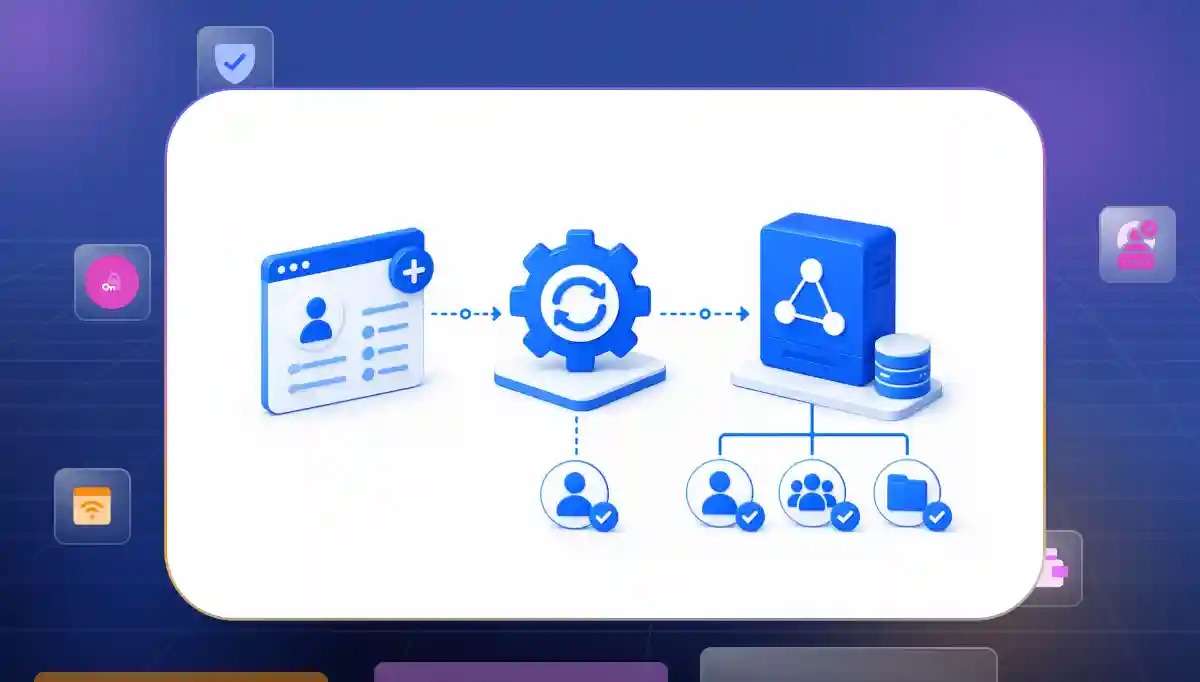
Among the many ways to do this passwordless authentication magic link tools stand out as an incredibly accessible option. The system replaces normal passwords with a short lived token sent straight to an inbox. When a user clicks that link the system validates the token and starts an authenticated session instantly.
The Users Who Actually Benefit From Passwordless Email Login
Not every person opens your application in the exact same way. The magic link login approach works best for specific groups who want speed and hate typing text. Let us look at the exact groups who get the most value out of this method.
According to a 2026 MojoAuth report magic links accounted for 41% of passwordless setups while the total number of passwordless implementations grew 64% over the last year.
Low Frequency Applications Where Memory Fails
Some users only visit your application once in a while. These individuals almost always forget their login strings between visits and find standard recovery forms very annoying.
- Infrequent Access. Users who log in every few months escape the cycle of forgetting text keys and doing painful resets. This makes their return to your platform completely painless and highly enjoyable.
- Support Overhead Reduction. Removing entry passwords for occasional users stops the heavy flow of account recovery tickets. This saves your support desk a lot of time and reduces operational costs.
- Immediate Value. Returning customers can use your services right away without spending minutes setting up a new secret string. They get what they want without unnecessary delays.
Content Platforms and Media Services
Media platforms and content sites need to get people past the signup wall as fast as possible. Using email-based authentication removes the roadblocks that keep readers from signing up or reading premium articles.
- Seamless Onboarding. Newsletters and media blogs get an immediate boost in sign ups because users do not fill out long forms. The registration process becomes a quick single step experience.
- Frictionless Reading. Readers can access locked content with a single click which keeps engagement metrics very high. It stops people from leaving the page when they hit a login wall.
- Multi Device Viewing. Users can transition from a laptop to a smartphone by opening the link on whatever screen is closest. This keeps the reading experience continuous across all their personal devices.
Business to Consumer Mobile Web Experiences
Mobile web users are known for leaving shopping carts and signup forms if the steps take too long. Token delivery links make the mobile journey better by removing the need to type complex text on tiny screens.
Based on the Reddit discussion about how multi-step forms kill conversions, mobile checkout drops when users face long login steps. Magic links slash login friction on mobile devices by doing away with password entry and making the sign-in process fast and simple.
- Mobile Screen Optimization. Removing credential typing on small virtual keyboards takes away physical trouble and speeds up interaction. This makes mobile entry feel natural and fast.
- Password Manager Independence. Users can log in smoothly even if their native device password vault fails to auto fill fields. They do not need to copy and paste keys across apps.
- Direct Checkout Boosts. E-commerce platforms verify a shopper identity right at the moment of purchase to protect conversion rates. This keeps the buying momentum alive without interruption.
The Users Who Will Abandon Your Magic Link Login Flow
While token links are great for casual browsing they can cause major trouble for other groups. Some people find the constant switching between apps highly annoying and will stop using your platform.
Vasile Granaci, a top identity expert, warns that magic link security depends heavily on the security and availability of the user's email account. Issues like slow email delivery and broken links make them a major business risk today.
Power Users Facing High Context Switching Costs
Power users are individuals who log into your platform daily or multiple times a day to get work done. Forcing these users to run through a magic link authentication flow constantly breaks their productivity and speed.
- Disrupted Workflows. Daily active users get tired of leaving your application dashboard to fetch a link from their inbox every morning. This extra step breaks their morning routine and slows them down.
- Tab Accumulation Fatigue. Constant switching creates a messy workspace filled with browser windows and temporary verification screens. Users end up with dozens of dead tabs that they have to close manually.
- Productivity Drag. Forcing a highly active user through an inbox verification step acts as a heavy tax on their daily operations. It makes your application feel clunky and slow over time.
Native Desktop and Mobile App Users
Users who prefer native desktop or mobile applications expect a self contained experience. Sending them away to a completely different email application breaks the flow of the native software.
- Broken Application States. Moving from a native app to a mobile browser often breaks the deep link redirection mechanism. This traps the user outside the application and causes technical errors.
- Distraction Risk Windows. Sending a user out of your application to their inbox exposes them to external notifications. They might get distracted by other emails and forget to return to your app.
- Inconsistent Device Behavior. Opening a link on a default mobile browser instead of inside the native app frame causes session creation failures. This creates a highly confusing user experience.
Users in High Urgency Environments
When users are trying to solve an urgent problem or complete a time sensitive task every second matters. Token deliveries introduce outside variables like email delivery speeds that can ruin a high pressure situation.
- Critical Delivery Delays. Waiting even thirty seconds for an email server to deliver a link feels like an eternity during emergencies. Users lose patience quickly when the system makes them wait.
- Aggressive Spam Filtering. Missing an important communication because it landed in a hidden junk folder causes instant frustration. Users will abandon the process entirely if they cannot find the link.
- High Friction Anxiety. Forcing a user to hunt through folders while dealing with an urgent task destroys trust. They will view your platform as unreliable when they need it most.
Where Magic Link Security Breaks in Enterprise Environments
Enterprise companies have strict requirements and complex setups that can cause verification links to fail. What works well for a casual consumer app can cause serious vulnerabilities and broken workflows in a corporate network.
Automated Email Scanners and Link Pre-fetching
Corporate networks use automated tools to check incoming emails for dangerous URLs and malware. These security bots click on links automatically before the employee even opens the message.
- Inadvertent Token Invalidation. Enterprise security gateways click links automatically to check for malware which destroys single use tokens instantly. The link becomes useless before the human user ever sees it.
- Broken User Entry. When a security scanner uses up the token the actual employee lands on an error page. They see a confusing message saying the link has already expired.
- Increased Support Calls. This security conflict creates a steady loop of broken login attempts for corporate employees. It leads to a rising number of internal helpdesk requests.
Cascading Ingress Vulnerabilities
Token delivery channels rely entirely on the protection of the email provider to prove who the user is. If an attacker manages to get into a corporate email account they automatically win access to everything else.
- Single Point Failure. Compromising a corporate inbox can allow access to systems that rely solely on email-based authentication. It removes the protection of isolated account security.
- Lack Independent Proof. Magic links do not verify identity on their own since they just trust the email state. They cannot tell if the person clicking the link is the actual employee.
- Lateral Movement Risks. Compromising one central corporate account allows an identity threat to spread quickly across multiple business tools. Compromised email accounts may facilitate lateral movement if appropriate monitoring and security controls are not in place.
Compliance and Regulatory Constraints
Highly regulated industries require strict tracking of who accesses data and how they do it. Deploying magic link security enterprise challenges often means dealing with a lack of detailed data logs required to pass modern corporate audits.
- Weak Auditing Trails. Organizations with strict compliance requirements may need additional logging and verification controls beyond standard email authentication records. They do not provide enough proof for security auditors.
- Session Tracking Gaps. Moving across different apps makes it hard to maintain the strict device binding required by data regulations. This makes it difficult to verify the exact hardware being used.
- Missing Security Controls. High-risk systems need more than just email links. You can add MFA or adaptive authentication for better security. Using device verification controls also helps you meet the highest standards of data protection.
Magic Link Implementation Decisions Most Teams Skip
Building a token delivery system looks simple on the surface but many development teams skip the critical details. To make your system safe you need to follow magic link authentication best practices during the engineering phase.
- Enforce Single Use. Every token should be invalidated immediately after successful use. This significantly reduces replay attack risk and prevents token reuse.
- Short Expiration Windows. Keep token lifetimes limited to a window of ten to fifteen minutes maximum. This minimizes the time an active link sits exposed in an inbox while giving legitimate users enough time to click through.
- Secure Cryptographic Signing. Tokens must be built using strong high entropy algorithms that prevent prediction or brute force guessing. Never use predictable database IDs or easily decoded strings for authentication payloads.
- Smart Confirmation Steps. Use an intermediate landing page that requires a manual button press before validating the token. This simple step stops automated corporate security bots from burning single use links prematurely.
- Track Device Context. Consider device or session binding for higher-risk scenarios. You should still allow flexibility for legitimate cross-device login flows. If a mismatch occurs, prompt the user for an extra confirmation code to prevent cross device hijacking.
How Magic Links Fit Into an Adaptive Authentication Stack
Token verification paths should not be the only way users can log into your platform. Instead they work best as one part of a smart adaptive security architecture that changes based on user risk levels.
- Seamless Fallback Option. Use email login to assist users who do not have biometrics configured correctly. This keeps your onboarding conversion high without lowering baseline security.
- Smart Step Up Checks. Require a secondary factor instead of relying solely on the email link when users try to access sensitive account settings. This protects critical data from unauthorized changes.
- Continuous Risk Scoring. Analyze risk signals like IP reputation or geographic changes. You should also check device information and user behavior before you approve login requests. This stops suspicious login attempts before they start.
- Biometric Passkey Introduction. Use the zero friction nature of magic links for the initial sign up process. Then prompt the user to enable biometric entry for their future visits.
- Complete Session Visibility. Ensure your authentication system logs every transition from the app to the email provider. This creates a clear audit trail for your security team to monitor threat patterns.
Start Your Magic Link Authentication Setup Today
Authentication is the very first interaction a person has with your product. When a user runs into a broken login loop, or waits endlessly for a verification email, they do not just feel blocked, they feel completely ignored.
Magic links help remove the nightmare of forgotten passwords for new visitors, but they can create real frustration for your daily power users and corporate teams. Running a business means you cannot rely on a single static option that leaves people stranded at the front door.
Infisign changes this experience by putting human context at the heart of identity safety. The platform operates on a zero trust engine that senses changing environments in real time, without creating annoying roadblocks.
If an aggressive corporate spam bot clicks a magic link and breaks the token, the system catches the automated step instantly and offers a seamless alternative, like a quick push notification. This keeps your users moving forward, without feeling stuck or defeated.
- Fast integration speeds. With over six thousand ready to use connectors, you can upgrade your entire login setup in less than four hours.
- Hybrid entry options. Infisign blends simple email paths with fast biometric passkeys, so your users get an experience that feels like second nature.
- Advanced data defense. It protects their digital lives with zero knowledge proofs, while keeping their daily journey as smooth as water.
Do not let a rigid login screen stand between your users and your application. Talk to the Infisign team today to build a secure, passwordless journey that your users will actually enjoy using every single day.
FAQs
Are magic links secure enough for enterprise use?
Magic links protect against password reuse but they rely mainly on the safety of the user email account. You can further strengthen security by adding MFA or adaptive authentication. For corporate needs you must combine them with adaptive risk policies and secondary verification steps to ensure safety.
How do magic links fit into a broader passwordless authentication strategy?
Magic links work well as an easy onboarding tool or a backup login path. They help your platform eliminate traditional passwords immediately while you transition toward stronger biometric options over time.
What is the difference between magic link and passkey?
A magic link sends a temporary token to an external inbox to confirm identity. A passkey uses local device biometrics like fingerprints or face scans to grant access instantly without leaving your application.


