


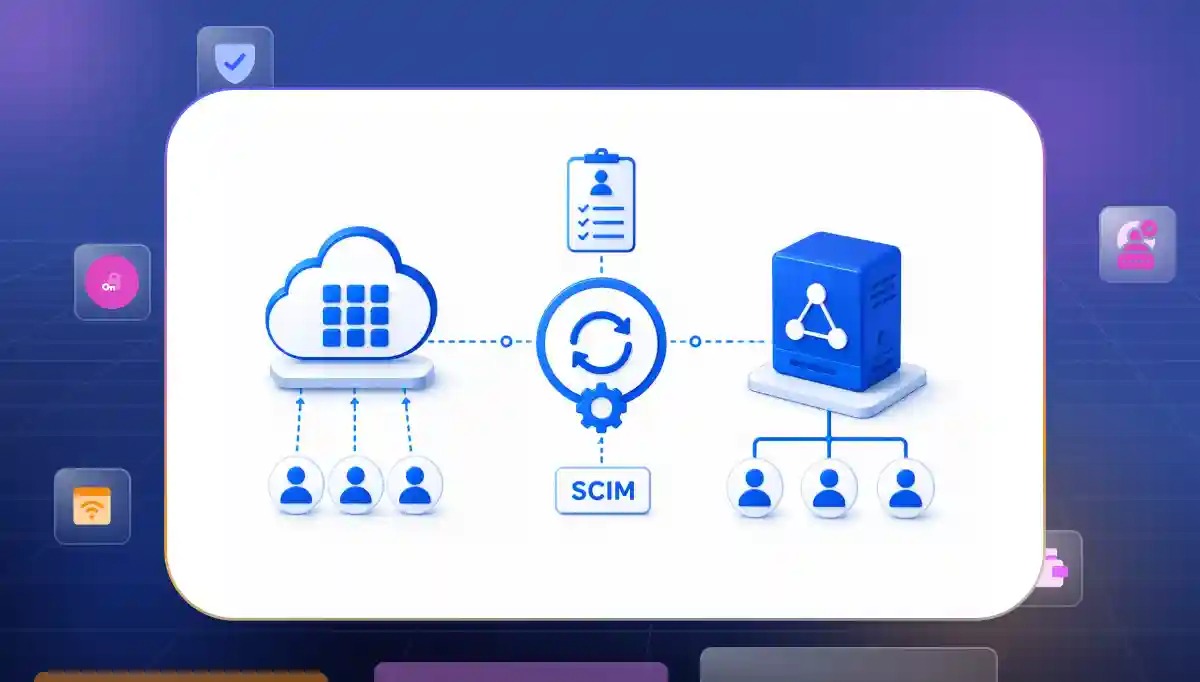

Managing team access by hand can quickly lead to errors and safety gaps. Implementing a modern approach to User Provisioning with SCIM Directory Sync allows your business to automate how worker accounts are created, updated, and deleted across all apps.
Instead of dealing with broken lines, mixed up data, or risky leftover access when workers leave, a smart system keeps your files perfectly matched. This ensures fast updates and strong security to protect your business doors automatically.
Where SCIM-Driven Provisioning Actually Breaks Down
Setting up automatic account updates across different web apps sounds easy but it gets messy in the real world. Connections drop and files get mixed up when you least expect it. Let us look at the exact places where these automated updates snap and create big problems for your teams.
Identity professionals see automated user provisioning as a key part of modern cloud security. It helps stop manual errors and improves consistency. It also makes managing access across your apps much easier.
System Rule Architecture Clashes
Every software provider builds their tool differently using their own special rules or old settings. This lack of teamwork ruins your plans for a smooth SCIM provisioning enterprise setup because separate applications refuse to read the same incoming messages.
- Version mismatch blocks. Systems often use different SCIM versions like 1.1 or 2.0. This can create interoperability challenges if both systems do not support the same protocol version or implementation requirements. When an old database tries to talk to a new cloud app, they may fail to understand each other and drop the account setup entirely.
- Timing and speed communication conflicts. Some identity platforms support near-real-time provisioning workflows. Other systems perform synchronization at scheduled intervals depending on their implementation. Older systems may rely on scheduled synchronization or polling mechanisms rather than near-real-time updates. This can introduce delays in account provisioning and deprovisioning.
- Weak temporary code fixes. Developers often spend weeks writing custom code to make different systems talk. Identity experts like Fabio Santos even build custom integrations or test environments to better understand and troubleshoot identity synchronization workflows.
Data Layout Mismatches
Every single company saves employee records using different random names for the exact same piece of information. When your main identity provider directory sync engine tries to pass these unique details over to an external app the receiving database has no idea where to save the file.
- Strict basic data limits. SCIM supports a broad set of standard user attributes. It can also be extended with custom schemas when supported by both systems. The real pain starts when you try to pass unique corporate data across different third party systems.
- Dropped information fields. Some business-specific attributes may not exist in the standard SCIM schema. They may require custom schema extensions or attribute mapping between systems. If the receiving web app does not recognize the exact name of the label it just ignores and drops that data package completely.
- Wrong permission errors. Automated role mapping breaks down entirely when essential details vanish in the middle of a sync loop. This leaves workers stuck without access and forces teams to log in manually to fix employee access privileges.
Leftover Access Risks
Automated networks are great at creating brand new user accounts quickly but they often struggle to remove that access safely when someone leaves. This operational gap creates a dangerous vulnerability loop in your SCIM user management setup because old departed workers retain active digital entry keys to your business data.
- Active login sessions. Disabling an account does not always terminate existing sessions immediately. Session revocation behavior depends on the application's authentication and session management capabilities. A removed worker can stay logged into an active mobile app installation for multiple days.
- Leftover security keys. Disabling an account does not always terminate existing sessions immediately. Session revocation behavior depends on the application's authentication and session management capabilities. This leaves dangerous unmonitored backdoors wide open into your sensitive cloud infrastructure.
- Sync line traffic blockages. Large company shifts create massive traffic spikes that clog your data transmission lines with thousands of updates. If a critical termination request gets stuck in that line access stays active much longer than security rules allow.
What Complete User Provisioning with SCIM Directory Sync Requires
When a company wants to stop making accounts by hand, it must build a strong system that handles everything automatically. A good system makes sure your main worker list and your apps stay perfectly matched every single second. To make this work well without any errors, the setup needs to follow three main rules.
Real-Time Event-Driven Processing
Many old systems wait until the end of the day to update account lists. This long wait causes safety problems because a user might stay inside your apps for hours after they should have lost access. Modern identity platforms can significantly reduce these delays by automating updates shortly after changes occur.
- Instant account changes. When you hire a new worker or remove an old one the system sends the news out immediately. Faster provisioning and deprovisioning help reduce the time during which users may have unnecessary access to applications.
- Organized message lines. During busy hiring months, a company might change hundreds of accounts at the same time. The system puts all these updates into a neat, straight line so no files get mixed up or lost.
- Ready on day one. New workers do not have to wait until the next morning to start their jobs. Automated provisioning can help ensure that new employees receive access to required applications much faster than manual provisioning processes.
Bidirectional Schema Normalization and Field Mapping
Different apps do not speak the same language. One tool might use the word "Staff" while another tool uses the word "User." A complete setup acts like a smart helper that translates these different words so every tool understands the information perfectly using standard SCIM 2.0 rules.
- Smart data changing. The system takes your unique company details and packages them into a clean format that any app can read. This clever step stops communication errors between your main list and your outside tools.
- Matching work groups. If you build a specific team inside your main worker list that exact same team appears inside your cloud apps. Group synchronization helps maintain consistent access assignments across applications. This reduces the need for manual permission updates.
- Fixing small mistakes. Sometimes a manager makes a minor typing error or leaves a small detail blank. Many identity platforms include validation and error-handling capabilities to help identify and resolve data quality issues before synchronization failures occur.
Comprehensive Session Invalidation and Credential Revocation
True safety means completely wiping out every single path back into your company network when a worker leaves. Simply turning off a main profile is not enough. A great setup ensures that every hidden digital key and active login disappears completely.
- Forced app logouts. When a worker leaves the system sends a strong command to all connected apps. Some identity platforms integrate with session management and token revocation mechanisms. This can help reduce active access after account deactivation.
- Wiping out special keys. Engineers and developers often use hidden passwords and special digital keys to talk to servers. Organizations should integrate provisioning workflows with credential management and access governance processes. This ensures access credentials are revoked when users leave.
- One stop closure. Your IT team does not need to log into twenty different websites to delete an old worker. Closing the primary profile triggers a giant chain reaction that shuts down every single app account automatically.
How to Evaluate a Platform for User Provisioning with SCIM Directory Sync
Choosing the right system to handle your worker accounts is a very important choice. You should look past flashy ads and focus on how well the tool manages data every day. A great platform must be easy to use, highly secure, and ready to connect with many different systems.
Multi-Provider Multi-Tenant Interoperability
Your main software setup must talk to many different external company lists at the same time. The platform needs to link up with various networks like Okta, Azure, or Google Workspace without needing special custom code for every new connection.
- Ready to use connectors. Many modern identity platforms provide prebuilt integrations for a wide range of popular identity providers and enterprise applications. The pre-built setup saves your team from spending weeks coding unique interfaces for every single client.
- One clear data line. The main engine takes different external data styles and changes them into a single, clean stream of events. Your software only has to read one standard layout instead of worrying about different formats.
- Separated data spaces. Data files from separate clients stay completely isolated inside your database cluster. Tight structural separation preserves strict privacy rules and keeps your business in line with global safety compliance.
Strict SCIM API Security and Threat Mitigation
Worker records hold highly private details that need the strongest defense possible. Checking for advanced SCIM API security features helps you block unauthorized database changes and keeps your private files safe from data leaks.
- Mandatory token checks. Every incoming update request must present a verified security key before making changes. Strict validation ensures only approved identity sources can modify your worker records.
- Full data protection. Organizations should use encryption in transit through TLS. They should also consider encryption at rest based on security or compliance requirements. Cryptographic storage keeps personal files safe from outside eyes.
- Traffic speed control. Smart limits shield your endpoints from crashing during sudden data synchronization spikes. Rate limiting can help reduce the impact of excessive or unexpected synchronization traffic. This improves service stability even if a client system loops endlessly.
Self-Service Onboarding and IT Administration Tools
Your main engineering team should not spend valuable time setting up a SCIM directory sync line by hand for every new client. Giving users a clean, independent setup interface simplifies the onboarding journey and removes friction for everyone.
- Independent admin portals. Client administrators can configure their identity endpoints completely on their own. This self-service design removes your developers from tedious setup calls and emails.
- Live sync logs. Transparent dashboards show detailed success and error details for every incoming data check. Detailed logs let client teams troubleshoot formatting errors without opening support tickets.
- Simulated connection checks. Integrated testing tools allow administrators to verify data links before moving to live modes. Pre-flight checks ensure data sets transfer smoothly without corrupting live, active employee files.
Set Up SCIM Directory Sync the Right Way
No one wants to spend hours adding people to software or worrying if an ex-employee still has access to company files. It is just stressful. The ideal way is to have everything run on autopilot. A new person starts and their apps are ready.
Someone leaves and they are logged out everywhere immediately. You just need a system that handles this quietly so you can focus on actual work. Fixing this means letting go of messy spreadsheets and custom code that breaks whenever an app updates.
A solid setup links all your tools to one main list and cleans up data errors by itself. It connects your new cloud software and your old systems without a glitch. By relying on user provisioning automation, your team reduces the risk of lingering access and ensures that identity management policies are consistently enforced across all connected applications.
That is why a platform like Infisign makes sense because it takes care of the annoying setup work and keeps your data locked down.
This is how it fixes those daily headaches:
- It handles automated provisioning to create, update, and remove accounts automatically when changes occur in connected HR or identity systems.
- It uses standard SCIM provisioning to link thousands of different apps to your main dashboard
- It syncs team roles perfectly so people always have the exact access they need without any manual data entry
Stop struggling with broken sync lines and risky leftover access. Talk to the Infisign team today to discover how our advanced identity platform can streamline your SCIM directory sync and secure your business effortlessly.
FAQs
What is the difference between SCIM provisioning and directory sync?
Directory sync matches your user list across systems. SCIM provisioning is the smart tool that makes this happen instantly and automatically using one standard language.
What are the main limitations of SCIM provisioning in enterprise environments?
Some older applications may not support SCIM. Challenges can also arise when applications have different attribute requirements or limited support for SCIM schema extensions and custom attribute mapping. Additionally, SCIM provisioning does not always terminate active user sessions as session management capabilities vary by application.
How to handle user provisioning for applications that don't support SCIM?
You can use manual files or custom code. Good identity platforms also help by using special gateways to link older systems with new tools easily.
What does user provisioning with SCIM directory sync automate?
It automates user account creation, profile updates, group synchronization, role assignments, and deprovisioning processes. This helps organizations manage access more efficiently and reduce manual administrative work.


